Liji
The virtual closet tracker that reveals the true cost of your wardrobe. Track usage, calculate Cost Per Wear, and boost your Sustainability Score.
Team
App Concept
The Use Case
Fast fashion has created a paradox: we own too much but wear too little. Liji solves "wardrobe inefficiency." By logging daily outfits, users visualize exactly which items are being neglected. The app calculates a real-time Sustainability Score and Cost Per Wear, incentivizing users to reduce textile waste.
Target User
Designed for the Conscious Fashionista and the Data-Driven Shopper. It is for university students and young professionals who want to know if their clothing investments were worth it and who wish to organize their cluttered closets digitally.
Database Design
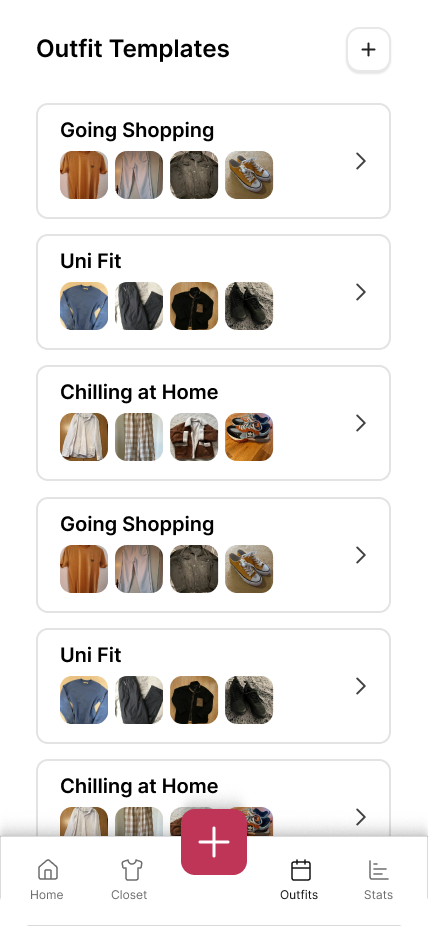
Liji uses a local SQLite database to ensure offline-first functionality. The schema below highlights the relationship between Items and Templates (Outfits).
Prototype
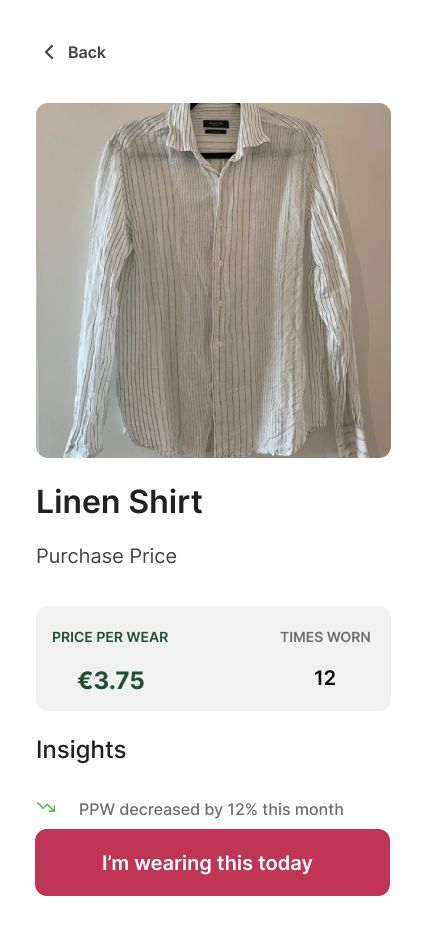
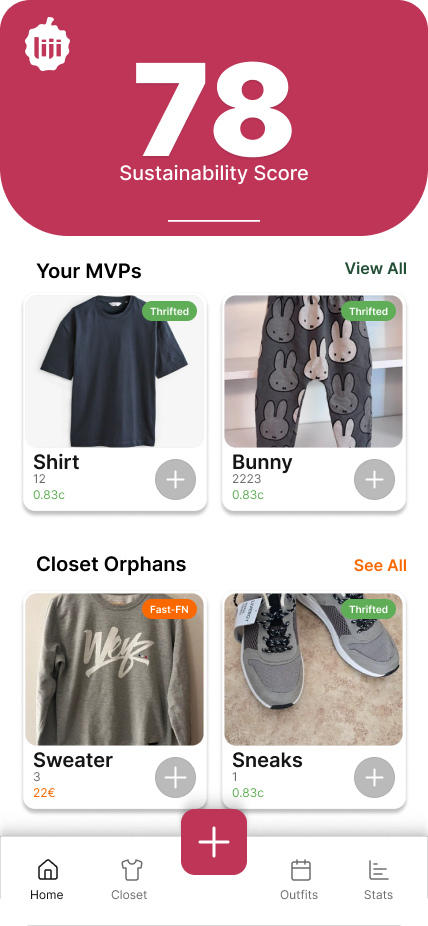
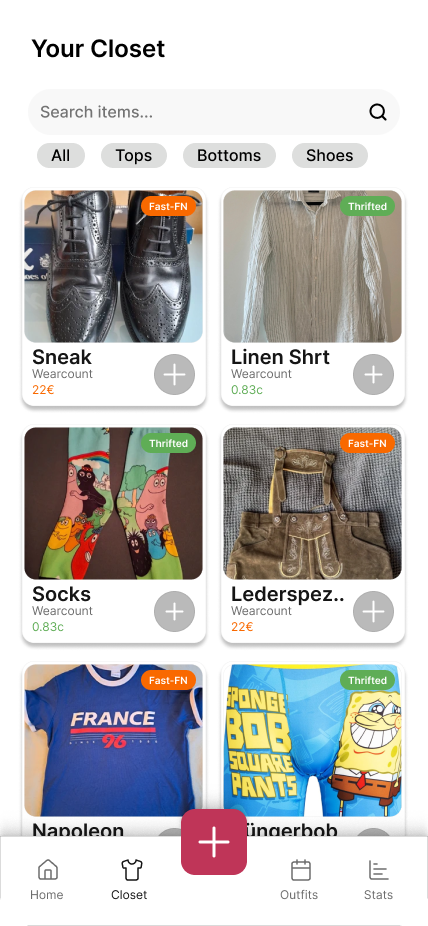
Interact with the Liji user flow below.
Usability
Test Plan
Hypothesis
We hypothesize that users will be able to complete all core tasks with a completion rate of at least 90%. Furthermore, we predict a System Usability Scale (SUS) score of >70, indicating 'Good' usability despite minor heuristic issues.
Data to Collect
- Completion Rate: Success/Failure per task.
- SEQ: Rated 1-7 after each task.
- SUS Score: 10-item standard questionnaire.
Methods
Participants completed a 7-section MS Form:
- Sections 1-2: Consent & Demographics.
- Sections 3-5: Task execution & Rating (1-7).
- Section 6: System Usability Scale (SUS).
- Section 7: Preference & Satisfaction.
Core Tasks & Scenarios
1. Create 1 Item & Find It
"Imagine you just bought a new shirt for €20. Take a photo of it (or use a placeholder) and add it to your closet with today's purchase date. Once you are done, find that new shirt in your main Closet list to make sure it saved."
2. Increase Wear Count
"You just wore your 'Green Shirt' again, so please increase its wear count by 1."
3. Create Outfit & Modify
"You are planning a look for tomorrow. Create a new collection named 'Date Night' and add two items to it. After creating it, decide that one item doesn't look right and remove it from the collection."
Heuristic Evaluation (Nielsen)
| Heuristic | Description | Severity |
|---|---|---|
| Visibility of system status | When the user taps the + button, the system updates the status (number goes up), but the visual feedback is so subtle that the user misses it. | 3 |
| Match between system and real world | Terminology "MVPs". If users are not familiar with this abbreviation it might cause confusion. | 1 |
| User control and freedom | Lack of "Undo" for wear counts. The item card has a + button, but no visible - button or "Undo" option if clicked by mistake. | 4 |
| Consistency and standards | Inconsistent Header Behavior. On Outfit Detail, the nav bar is "sticky". On Add Item, it scrolls away. | 2 |
| Error prevention | "I'm wearing this today" is active on an empty outfit (0 Items). This template shouldn't show up empty. | 3 |
| Recognition rather than recall | "No Image" Placeholders. Users recognize clothes by visual recognition, not by reading "Green Shirt". | 1 |
| Flexibility and efficiency | Missing Filters in Closet/Home. Cannot filter by Category or sort by "least worn". | 4 |
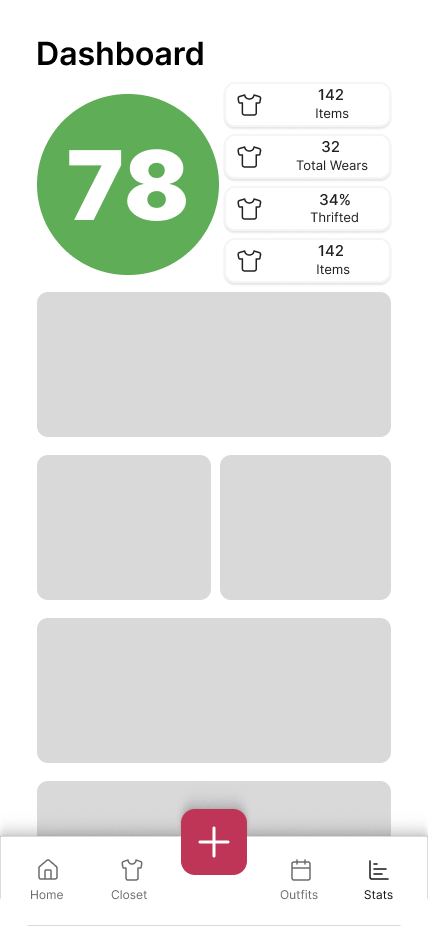
| Aesthetic and minimalist design | Dashboard Visual Hierarchy. The "Total Wears" count (e.g., "78") is decorative but consumes 50% of screen real estate, obscuring data. | 2 |
| Help users recognize errors | Rigid Date Input Format. The "Purchase Date" field requires a specific, unexplained format. | 1 |
| Help and documentation | Unexplained Scores. Users unfamiliar with the app won't understand what the large "78" metric stands for. | 2 |
User Test Results (Pilot)
Demographics (N=5)
We tested with 5 participants. 60% of participants were aged 18-21. Crucially, 100% admitted to having unworn items in their wardrobe, validating our core problem statement.
SUS Score
"Best Imaginable." Users found the app highly usable despite minor specific heuristic issues.
Task Difficulty Ratings
(Scale 1-7, where 7 is "Very Difficult")
-
Task 1 (Create Item)
4.60
-
Task 2 (Wear Count)
4.40
-
Task 3 (Outfits)
4.40
Participant Notes
- "Wearcount bit hard"
- "Im wearing this today button in detail above insights"
- "Split task 2 so its not as confusing"
- "Too long of a task [Task 3]"
- "In outfits u cant see that u increased wearcount"
- "Add stars to the required inputs in add item"
- "Move wearcount in template edit up"
- "Link sustainability score to stats page"
Final Reflection
Flo Madner
Working in a team isn't always easy as we faced some challenges along the way, but we persevered and managed to put together a project we can be proud of. My main contribution was focusing on the sorting logic and the UI details. The app exceeded my expectations, as we were able to not only implement what we planned but also add to it.
Kadim Hüseyin Öksüm
I had a great time, it was not always easy. But I wanted to have a finished product at the end of the project and I think we delivered on that. My proudest part where I put my most effort in, would propably be the stats page and the score logic. In conclusion we had fun and there are little to no regrets.